


Common CCTV BNC Cable Problems and How the Right Connector Can Help
Few things are more frustrating than a security camera that works one day and fails the next. Sometimes the picture disappears entirely. Other times it rolls, flickers, or fills with lines that seem to appear for no reason. Before replacing an expensive camera or recorder, it is worth looking at the cabling, because coaxial cable and BNC connectors are behind a large share of these problems. The good news is that many of them can be prevented or fixed with the right connector and careful installation. This article walks through the most common BNC cable problems, explains what typically causes them, and shows how choosing and fitting the right connector can restore a stable, clear picture across your surveillance system.
No Video or Intermittent Signal
The most alarming problem is a camera showing no video at all, or dropping in and out unpredictably. Often the cause is a broken or poorly seated center pin inside the BNC connector. If the pin was not crimped properly or slides back when the connector is mated, contact becomes unreliable. A loose bayonet lock or a connector that has pulled partly off the cable can cause similar symptoms. Corrosion on the contacts, particularly outdoors, gradually increases resistance until the signal fails. The fix usually involves re-terminating the cable with a correctly sized connector and making sure it locks firmly. Using well-made, pre-terminated assemblies from the start reduces the chance of these faults, since connectors are fitted precisely before installation.
Lines, Noise, and Interference
Horizontal bars, rolling lines, or speckled noise on the image often point to interference. Coaxial cable relies on its shield to block outside electrical noise, and that shield must be continuous through the connector. If the braid is poorly attached, trimmed too short, or loose inside the connector, interference can leak in. Running coaxial cable alongside high-voltage power lines, fluorescent lighting, or motors makes the problem worse. Ground loops, caused by equipment grounded at different potentials, can also create rolling bars. Good CCTV BNC cables with solid shielding and properly terminated connectors help keep noise out. Rerouting cable away from power sources and ensuring shield continuity at every connector often clears the picture quickly without replacing cameras or recorders.

Ghosting and Soft Images
Ghosting appears as a faint duplicate of edges in the picture, while soft images lack the sharpness the camera should provide. These symptoms often relate to impedance mismatches. Video systems are designed for 75 ohms, and using a 50 ohm connector, a damaged cable, or poor quality adapters can cause part of the signal to reflect back along the cable. HD-over-coax signals are especially sensitive to these reflections. Sharp bends or crushed cable can also change the cable's internal geometry and create similar effects. Replacing mismatched connectors with proper 75 ohm BNC fittings, reducing the number of adapters and couplers in the path, and avoiding tight bends usually improves image quality noticeably. Matching cable and connector correctly is one of the simplest ways to protect clarity.
Physical Damage and Strain
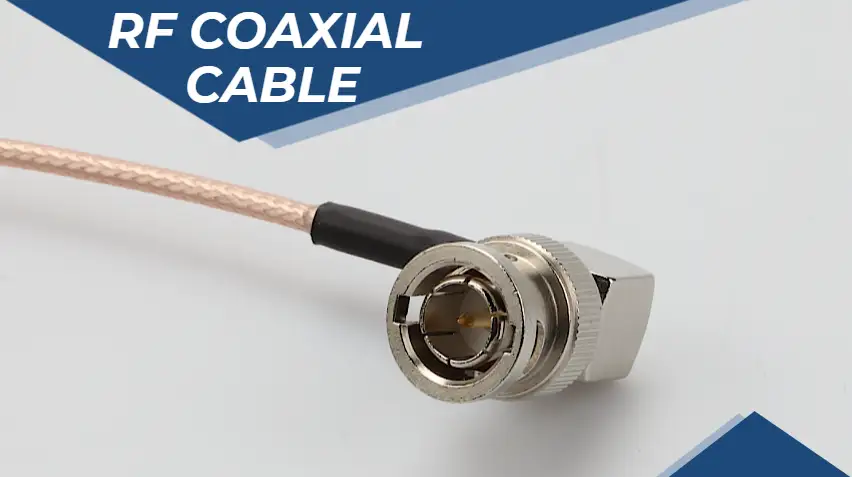
Connectors take a lot of physical punishment. Cables pulled too tightly, bent sharply behind equipment, or left dangling from cameras can gradually loosen or break internal conductors near the connector. Repeated plugging and unplugging can wear out low-quality fittings. Outdoors, moisture can seep into unsealed connectors and cause corrosion that eventually destroys the connection. Right-angle BNC connectors are a practical solution where space is tight, since they let the cable run flat instead of bending sharply. Strain relief, cable supports, and weatherproof enclosures also help. Choosing connectors made from durable materials with secure attachment to the cable reduces wear. Paying attention to how cables are supported and protected prevents many problems that would otherwise appear months after installation.
Preventing Problems From the Start
The best way to deal with BNC problems is to avoid them in the first place. Start with good coaxial cable suited to your distances and environment. Use 75 ohm connectors sized correctly for your cable type. Terminate carefully with proper tools, or choose pre-made assemblies for greater consistency. Route cables away from sources of interference, avoid sharp bends, and protect outdoor connections from moisture. Test every run before closing up walls or ceilings. MOCO offers camera cables in RG59, RG179, and RG316 types, along with BNC assemblies and custom options that help installers build systems correctly from day one. With the right connectors and sensible installation practices, most common coaxial problems simply never appear, leaving you with a surveillance system you can depend on.

 Arabic
 French
 Spanish
 Portuguese
 Deutsch
 Turkish
 Dutch
Dutch
 Italiano
 Russian
 Romaian
 Portuguese (Brazil)
 Greek
Greek