


Restaurant POS Systems: The Complete Guide for Independent Restaurant Owners
A restaurant can have a great menu and a busy dining room and still lose time at the register.
An order gets entered incorrectly. A modifier does not reach the kitchen. A server has to walk back to the POS to close a check. The kitchen is waiting for tickets while the front-of-house team is trying to keep up with a Friday-night rush.
That is where Restaurant POS Systems matter.
A modern restaurant point of sale does much more than process payments. It connects orders, menus, tables, kitchen workflows, payments, reporting, and inventory so the team can spend less time working around the system.
For an independent restaurant with one to five locations, the important question is not which POS has the longest feature list. It is whether the system fits the way the restaurant actually operates.
What Should Restaurant POS Systems Handle?
Restaurant operations are different from ordinary retail.
A customer might order a burger with no onions, add fries, substitute a side, split the check three ways, leave a tip, and pay using a card all from the same table.
The POS needs to keep those details connected.
A restaurant POS should typically support:
- Menu and modifier management
- Table and order management
- Kitchen order routing
- Split checks and payments
- Discounts and refunds
- Employee permissions
- Sales reporting
- Inventory tracking
- Customer and loyalty tools
- Online and delivery orders
- Integrated payment processing
- Multi-location management
The National Restaurant Association's 2025 industry report found that 52% of restaurant operators identified POS systems as an investment area, while 47% identified inventory management software. That is a useful indication of how central these systems have become to restaurant operations.
The key is integration. A restaurant should not have one system for taking orders, another for payments, another spreadsheet for inventory, and another process for management reporting if those tasks can be connected.
Restaurant POS Systems Need to Match the Service Model
A coffee shop, quick-service restaurant, full-service restaurant, bar, and multi-location restaurant do not work the same way.
A counter-service restaurant may need fast order entry and payment. A full-service restaurant needs table layouts, modifiers, course management, split checks, and kitchen routing.
A busy bar may care more about tabs, fast transactions, and handheld ordering.
That is why Restaurant Point Of Sale Systems should be evaluated around the actual service model rather than a generic feature checklist.
Current restaurant POS comparisons similarly separate needs such as full-service dining, quick service, multi-location operations, and bar service.
Before choosing a system, map one normal customer journey:
Order → Modifier → Kitchen → Table → Payment → Tip → Receipt → Reporting
Then ask the POS provider to demonstrate that exact workflow.
Faster Order Entry Starts at the POS
During a lunch rush, employees should not have to search through dozens of screens to find common menu items.
The best setup puts frequently ordered items where employees expect them and makes modifiers easy to select.
For example, a server taking an order for a burger may need to select the protein, cooking preference, toppings, side, and beverage. Those choices should travel correctly to the kitchen without requiring the server to write a note or verbally explain the order.
That sounds basic. On a busy floor, it is not.
A good restaurant POS should reduce unnecessary steps between the customer's request and the kitchen ticket.
Kitchen Routing Is More Than Printing a Receipt
Consider a restaurant where a customer orders a steak, salad, and cocktail.
The steak may belong at the grill station. The salad goes to a cold station. The cocktail goes to the bar.
A restaurant point of sale should be able to route those items to the correct preparation areas based on the menu configuration.
Kitchen display systems can take this further by sending orders electronically to kitchen screens instead of relying only on printed tickets.
This matters because an order is not complete when the cashier or server enters it. It is complete when the right information reaches the people preparing it.
Inventory Should Connect to What You Sell
Inventory management becomes difficult when the POS and purchasing process are disconnected.
A restaurant may receive cases of ingredients but sell individual menu portions. Managers need to understand how purchases, recipes, waste, and sales affect available stock.
For example, selling 20 chicken sandwiches should not simply reduce a generic "food inventory" number. If recipes and inventory are configured correctly, the system can provide a much more useful view of the ingredients being consumed.
This is one reason inventory integration matters more as a restaurant's menu and location count grow.
The POS will not eliminate food waste or guarantee accurate inventory. Receiving, portion control, recipe setup, waste recording, and physical counts still depend on the restaurant's procedures.
Restaurant Payments Should Be Part of the Workflow
A customer should not have to wait while staff manually move between systems to finish a check.
Modern restaurant POS setups can connect the order, payment terminal, receipt, and reporting process.
For restaurants, that can include:
- Credit and debit cards
- Contactless payments
- EMV/chip cards
- Cash
- Tips
- Split payments
- Digital receipts
Payment security also deserves attention.
The PCI Security Standards Council states that payment terminals are part of the cardholder data environment and fall within PCI DSS scope. The applicable controls depend on the type of terminal and how the environment is configured.
Restaurant owners should therefore ask a POS provider how payment devices are secured, updated, configured, and supported rather than assuming that buying a new terminal automatically handles every security responsibility.
What Is a POS System Cashier Machine?
Some restaurant owners search for a POS system cashier machine when they are really looking for a complete restaurant checkout setup.
The terminal is only one part of that setup.
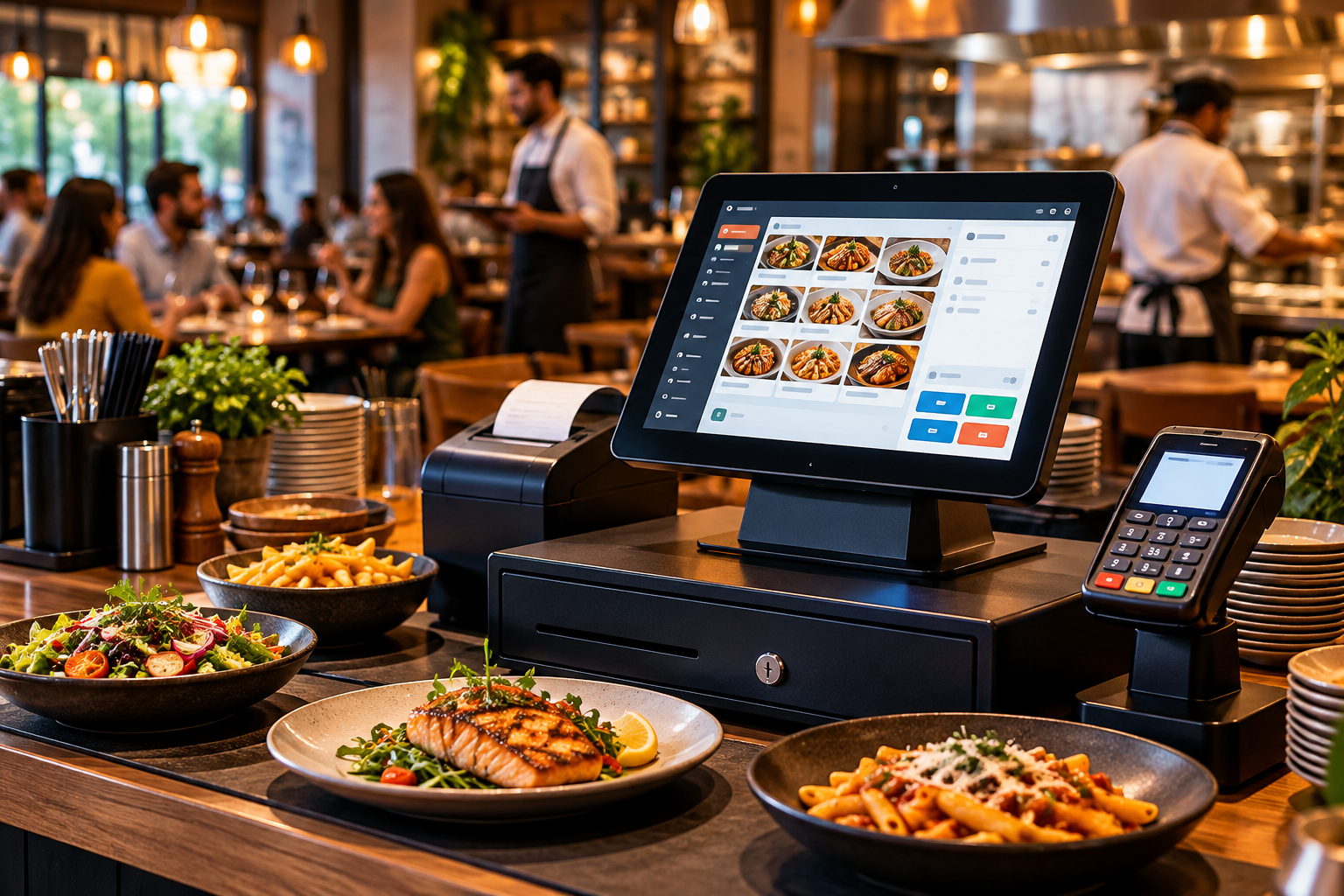
Depending on the restaurant, hardware can include:
- POS touchscreen
- Cash drawer
- Receipt printer
- Barcode scanner where needed
- Customer display
- Payment terminal
- Kitchen printer
- Kitchen display
- Handheld ordering device
A small café may need only a terminal, cash drawer, and payment device.
A full-service restaurant may need several terminals, kitchen displays, handheld devices, and integrated payments.
The right hardware depends on the workflow not simply the size of the restaurant.
Multi-Location Restaurants Need Centralized Visibility
Managing two restaurants can create a problem that does not exist with one location: information gets scattered.
One manager has yesterday's sales. Another has an inventory spreadsheet. The owner wants to compare locations but has to collect reports manually.
A centralized POS setup can bring sales, inventory, employee activity, and other operational information into one management view.
Suppose Location A is selling significantly more of a menu item than Location B. Management can investigate pricing, demand, inventory availability, staffing, or menu differences rather than discovering the difference weeks later.
But centralized software does not automatically fix poor processes. Each location still needs accurate receiving, menu configuration, inventory counts, employee permissions, and manager oversight.
Restaurant Owners Should Compare Total Cost, Not Just Monthly Software Fees
A POS quote can look affordable until the full cost is added.
Before signing, ask about:
- Monthly software fees
- Payment processing rates
- Hardware
- Installation
- Kitchen displays
- Handheld devices
- Online ordering
- Delivery integrations
- Loyalty
- Reporting
- Support
- Contract length
- Early termination terms
- Replacement hardware
Current 2026 restaurant POS comparisons show substantial differences between providers in software pricing, payment terms, hardware models, and contract structures.
The cheapest monthly subscription is not necessarily the lowest-cost system once payment processing and hardware are included.
Ask for a written quote based on your actual restaurant, transaction volume, locations, and required hardware.
How Gokul POS Fits Restaurant Operations
Gokul POS provides POS software, hardware, and payment services for businesses that need a practical system for daily transactions and management.
For restaurants, the focus should be on connecting the pieces that employees use every day: order entry, checkout, payments, reporting, and management.
Gokul also provides POS hardware and payment-related services that can be configured around the business rather than forcing every restaurant into the same setup.
The goal is straightforward: give restaurant owners and managers a system that is practical to operate without requiring an internal IT department.
That does not mean every restaurant needs every feature. A small café should not pay for a complicated setup it will never use. A multi-location restaurant may need centralized reporting and stronger management controls.
The right system starts with the workflow.
Final Thought
The right Restaurant POS Systems should make everyday restaurant work easier—not add another system for employees to fight with.
Start with the actual workflow: how customers order, how modifiers reach the kitchen, how checks are paid, how tips are recorded, how inventory is tracked, and how the owner reviews the business.
For a single location, simplicity may matter most. For multiple locations, centralized reporting and management may become more important.
Gokul POS provides restaurant POS software, hardware, and payment solutions designed around practical business operations. If you are reviewing a restaurant point of sale setup, evaluate the complete workflow and total cost not just the terminal sitting on the counter.

 English
 Arabic
 French
 Spanish
 Deutsch
 Turkish
 Dutch
Dutch
 Italiano
 Russian
 Romaian
 Portuguese (Brazil)
 Greek
Greek