


Why Does My IPTV App Say "Server Not Responding"?
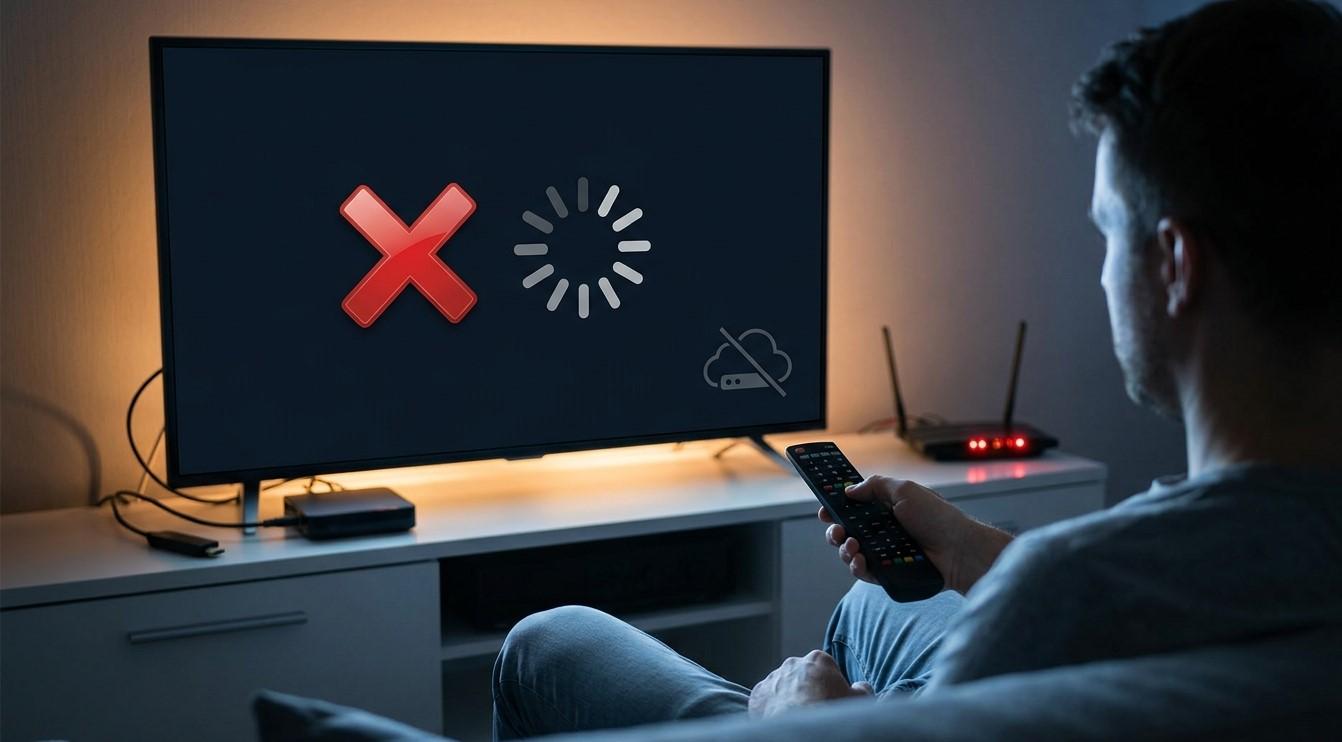
Few messages are as frustrating as "server not responding" when you're ready to watch. The message is vague, but it does tell you something useful: your app sent a request and didn't get an answer. The cause could be your internet connection, your device, your login details, or the provider's own servers. In this guide, we'll break down what the error means, the most common causes, and a step-by-step way to fix it so your IPTV India service works on your Indian IPTV Box again.
Table of Contents
- What "Server Not Responding" Actually Means
- Problems on Your Side of the Connection
- Device and App Problems
- Account and Login Problems
- Provider-Side Problems
- How to Tell Which One You're Dealing With
- Step-by-Step Fix Checklist
- When to Contact Your Provider
- FAQs
What "Server Not Responding" Actually Means
Every time your app loads your channel list, checks your login, or starts a stream, it sends a request to your provider's servers and waits for a reply. When the reply doesn't arrive in time, or arrives incomplete, the app shows an error like "server not responding," "connection timed out," or "unable to connect."
The message doesn't tell you where the break happened. The request could have been blocked on your network, stalled on the way, or never answered by the server. That's why the fix depends on finding the cause rather than just retrying.
Problems on Your Side of the Connection
Most cases start at home, and they're often the quickest to fix:
- No internet or a very unstable connection: If your internet is down or dropping in and out, the app can't reach any server
- Wi-Fi problems: A weak signal, interference, or a router that needs a restart can block requests
- Router or modem glitches: Temporary faults can stop traffic while the Wi-Fi light still looks normal
- DNS issues: The system that translates server names into addresses can fail, which makes a working internet connection look like a dead server
- Firewall or network restrictions: Some shared, workplace, school, or building networks block certain traffic
- VPN or proxy interference: A VPN server that's overloaded, or a proxy that isn't configured properly, can prevent the app from reaching your provider
- Incorrect date and time: Devices with the wrong date or time can fail secure connections, which sometimes shows up as a server error
Device and App Problems
If your internet works for everything else, look at the app and the box:
- Outdated app or firmware: An old version may no longer match how your provider's servers work
- Corrupted cache or data: Stored data can become damaged and cause failed requests
- Low storage or memory: A struggling device may fail to complete connections
- A bad installation: An interrupted install or update can leave the app in a broken state
- Overheating or long uptime: A device that's been running for weeks may need a fresh start
Account and Login Problems
Sometimes the server is working fine but isn't accepting you, and the app reports it as "not responding":
- Expired or suspended subscription: If your plan lapsed, the server may stop answering your requests
- Wrong login details or an outdated playlist link: A typo, or a link your provider has replaced, will fail
- Too many simultaneous connections: If your plan limits how many devices can stream at once, a new session may be refused
- A changed server address: Providers occasionally move to new addresses, and old settings stop working
Checking your account status and re-entering your details carefully rules out a lot.
Provider-Side Problems
Occasionally the problem is entirely outside your home:
- Server maintenance or an outage: The provider's servers may be temporarily offline
- High demand: Major live events can overload servers and cause timeouts
- Network routing problems: A fault between your internet provider and the server can make it unreachable from your location even though it works for others
- Infrastructure issues at smaller providers: Providers with limited capacity are more prone to going down
If this is the cause, nothing on your end will fix it, and the error usually clears on its own once the provider resolves it.
How to Tell Which One You're Dealing With
A few quick checks narrow it down:
- Does anything else load? If websites or other apps fail too, the problem is your internet
- Does it fail on every device? If your phone and your Indian IPTV Box both fail, suspect the account or the provider. If only one fails, suspect that device or app
- Does it fail on every channel? If a single channel fails while the rest load, the problem is that channel rather than the server
- Does it work on mobile data? If it works on your phone's mobile data but not your home Wi-Fi, your home network or ISP is the cause
- Has anything changed recently? An app update, a new router, or a payment issue could explain a sudden change
Step-by-Step Fix Checklist
Work through these in order and stop as soon as it works:
- Wait a minute and retry. Temporary timeouts often clear on their own
- Test your internet on another device or with a quick speed test
- Restart your router and modem, modem first, then router, as described in our troubleshooting guides
- Restart your Indian IPTV Box and reopen the app
- Check the date and time settings on your device and set them to automatic
- Turn off any VPN or proxy temporarily and test again
- Try a wired Ethernet connection if you're on Wi-Fi
- Check your subscription status and make sure it hasn't expired
- Re-enter your login details or playlist link, copying them carefully with no extra spaces
- Clear the app's cache, if your device allows it
- Update the app and the device firmware
- Reinstall the app, keeping your login details handy
- Try a different network, such as a mobile hotspot, to test whether your home network is blocking the connection
- Check for announcements from your provider about outages or server changes
- Contact support if the error continues
If you're using a custom DNS setting, switching back to automatic is a good test too, since a bad DNS server can mimic a provider outage.
When to Contact Your Provider
Reach out to your IPTV India provider if:
- The error appears on every device and every network you've tried
- Your account shows as active but you still can't connect
- The problem started suddenly and nothing changed on your side
- Others you know on the same service report the same issue
- You've been told to use a new server address or playlist link and aren't sure how
When you contact support, include what you've already tried, the exact wording of the error, when it started, and whether it affects all channels or just some. That helps them diagnose the issue much faster.
FAQs
1. Does "server not responding" always mean the provider is down?
No. It only means your app didn't get a reply. Your internet, your device, your login, or the provider's servers could each be the cause.
2. Why does my internet work fine but the app still shows this error?
The problem may be with DNS, a VPN or proxy, an outdated app, an expired subscription, or the provider's servers rather than your general internet connection.
3. Will reinstalling the app fix it?
Sometimes, particularly if the app was corrupted or outdated. Save your login details first, and try the simpler steps before reinstalling.
4. Can a VPN cause this error?
Yes. An overloaded VPN server or a misconfigured proxy can block the connection. Turning it off temporarily is a good quick test.
5. How long should I wait before assuming it's a provider outage?
If it fails on every device and network, and other troubleshooting hasn't helped, check your provider's announcements and contact support. Short outages usually resolve within a few hours.
Get Back to Streaming Faster
A "server not responding" message is frustrating, but it's usually fixable once you know where to look. Pair a reliable IPTV India provider with a well-maintained Indian IPTV Box and a stable home network to keep these errors rare. Explore our IPTV plans today and enjoy streaming with fewer interruptions.

 English
 Arabic
 French
 Portuguese
 Deutsch
 Turkish
 Dutch
Dutch
 Italiano
 Russian
 Romaian
 Portuguese (Brazil)
 Greek
Greek