


From Raster to Vector: Choosing the Right Vector Art Service
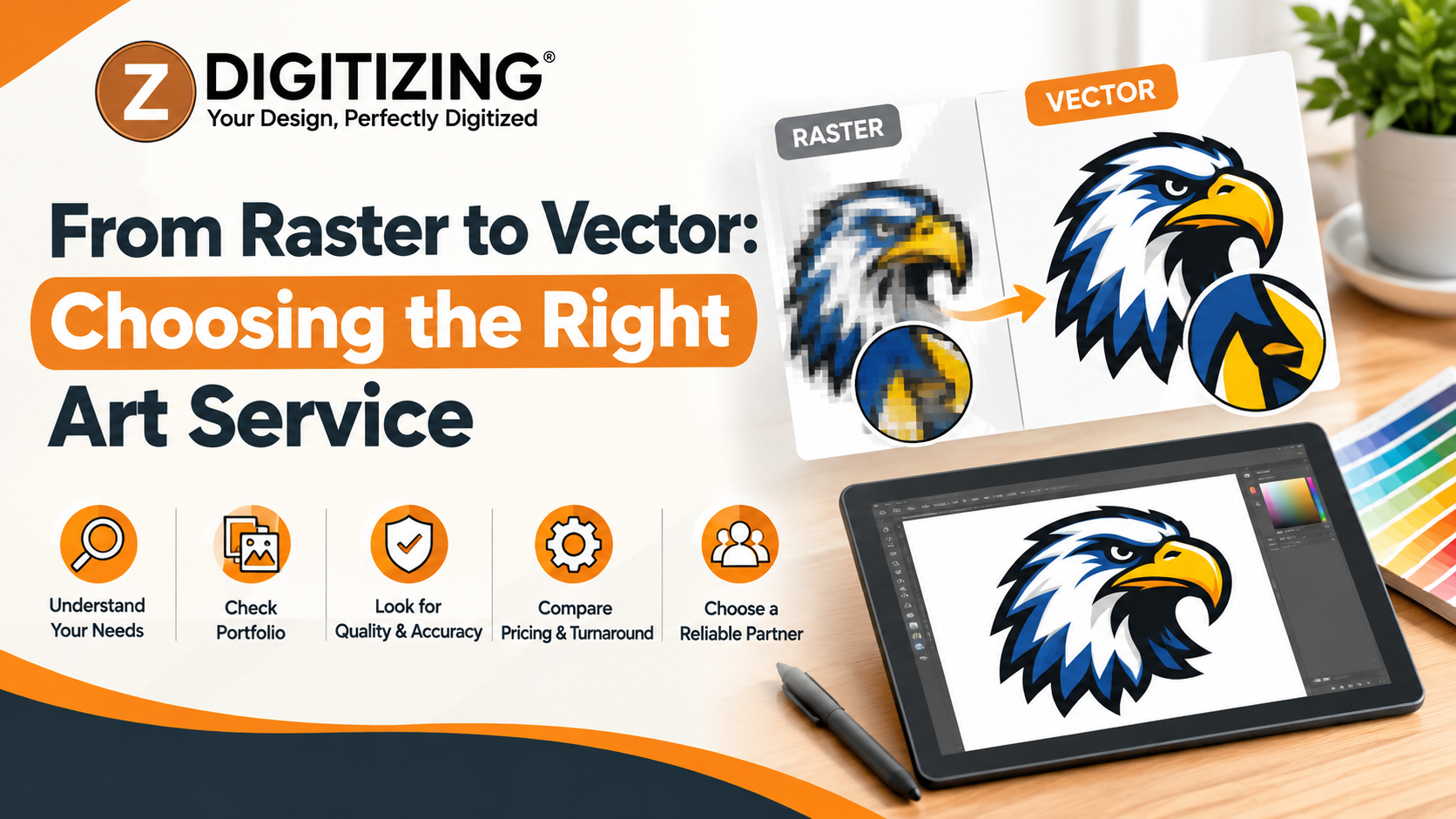
A blurry logo or pixelated graphic can affect the quality of your printed materials, business branding, and promotional products. Converting a raster image into vector artwork can help you create clean, scalable graphics that work across different sizes and applications. However, the quality of the result depends on the source image, the complexity of the design, and the conversion method.
At ZDigitizing, we understand that choosing the right artwork solution starts with understanding your project's needs. Our Vector Art services are relevant when you need graphics prepared for flexible use, while Custom vector artwork services can be useful when a design requires more careful recreation or refinement. In this guide, we explain how raster-to-vector conversion works, what to look for in a provider, and how to prepare your artwork before ordering.
What Is Raster-to-Vector Conversion?
Raster-to-vector conversion is the process of recreating a pixel-based image as vector shapes, paths, and curves. The goal is to produce artwork that can be resized without the pixelation commonly associated with enlarging low-resolution raster images.
Understanding Raster Images
Raster images are made of pixels. Common raster formats include JPG, JPEG, PNG, BMP, and GIF. Photographs, screenshots, and many web graphics use this format.
Raster images can work well at their intended dimensions, but enlarging a small image may reveal blurry edges, visible pixels, and unclear details. This can become a problem when a small logo must be used on a banner, sign, garment, or other large surface.
Understanding Vector Graphics
Vector graphics use paths, points, curves, and shapes to define artwork. Common vector formats include SVG, AI, and EPS. PDF files can also contain vector elements.
Because vector graphics are resolution-independent, they can generally be scaled up or down without losing edge sharpness. They are particularly useful for logos, icons, lettering, illustrations, and other artwork that must be reproduced at different sizes.
One important distinction: saving a raster image inside an SVG or PDF file does not automatically convert it into vector artwork. A genuine conversion recreates the design using vector paths or shapes.
When Should You Convert a Raster Image to Vector?
Not every image needs vectorization. The right decision depends on the design and how you intend to use it.
1. When a Logo Looks Blurry at Larger Sizes
Business logos often appear on websites, business cards, packaging, uniforms, signage, and promotional materials. A small raster logo may not provide enough detail for every application.
Vector artwork provides a scalable master file that can help keep logo edges clear across different sizes. This is particularly useful when you need to reuse the same design across print and branding materials.
2. When You Need Consistent Brand Graphics
Consistent artwork helps maintain a recognizable visual identity. A clean vector file makes it easier to adjust colors, resize shapes, and prepare alternate versions of a logo.
Our Vector Art services are worth considering when you need artwork that can be adapted for multiple applications without repeatedly rebuilding the design from a low-resolution image.
3. When Artwork Needs Editing
Raster images can be difficult to edit precisely, especially when the background, lettering, and graphic elements are combined into a single image. Vector files can make individual shapes and paths easier to select and modify in compatible software.
For example, a designer may need to change a logo color, adjust a curve, or separate graphic elements. An editable vector file can make these changes more manageable.
4. When Artwork Is Prepared for Production
Printing, vinyl cutting, signage, and apparel decoration can have different artwork requirements. Vector conversion may help prepare clean outlines and shapes, but the final file must still match the needs of the production method.
For embroidery, vector artwork and embroidery digitizing are separate processes. Vectorization creates scalable graphics, while digitizing converts artwork into stitch instructions for an embroidery machine. If you are preparing a logo for embroidery, identify that requirement before choosing a service.
How to Choose the Right Vector Art Service
Choosing a provider involves more than comparing prices. You should check the quality of the work, the files included, and whether the service fits your intended application.
Review Previous Work
Ask to see examples of designs similar to yours. Look for smooth curves, clean outlines, accurate lettering, and consistent proportions.
A simple icon may be straightforward to recreate, while a detailed emblem, intricate illustration, or logo with small text may require more careful work. Choose a provider whose portfolio reflects the complexity of your design.
Confirm That the Artwork Is Truly Vector
Ask whether the delivered file contains editable vector paths or simply embeds the original raster image. This distinction matters if you plan to resize, recolor, or modify the design later.
You should also confirm which file formats are included and whether you will receive a version suitable for your software or production workflow.
Explain Your Intended Use
Tell the provider how the artwork will be used. A graphic for a website may have different requirements from a design intended for large-format printing, cutting, or embroidery.
For example, very thin lines may need special attention for certain production methods. If the artwork will be used on apparel, mention whether it is intended for printing or machine embroidery so the appropriate preparation process can be considered.
Clarify Revisions and Delivery
Before placing an order, confirm the expected deliverables, revision policy, and file formats. Ask how the provider handles missing details in a low-quality source image.
Custom vector artwork services can be particularly relevant when your design needs more than automatic tracing. Clear expectations help you understand whether the provider will clean up the artwork, recreate difficult sections, or preserve the original design as closely as possible.
How to Prepare Your Artwork Before Ordering
Good preparation helps your provider understand the design and its intended use. Follow these steps before submitting your image.
-
Send the best available source file. Use the original image whenever possible instead of a screenshot or compressed copy.
-
Explain what must stay unchanged. Identify important proportions, lettering, colors, and graphic details.
-
Provide brand colors. Include color codes or reference files if accurate color matching matters.
-
Specify the intended application. Explain whether the artwork is for print, signage, digital use, cutting, or apparel decoration.
-
Request the required formats. Identify whether you need SVG, AI, EPS, or a vector-based PDF.
-
Review the final file. Open the delivered artwork in compatible software and check the outlines, lettering, colors, and editability.
If the source image is blurry, some details may be difficult to recover. A provider may need to recreate parts of the design rather than trace them directly. Discuss these limitations before the work begins.
Common Raster-to-Vector Mistakes to Avoid
Even when a file has been converted, the result may not be ready for your project. Watch out for these common issues.
-
Relying only on automatic tracing: Automated tools can create uneven curves, unnecessary anchor points, or rough edges in complex designs.
-
Ignoring small details: Fine lettering, narrow gaps, and intricate shapes may need manual refinement to remain clear.
-
Assuming every format is editable: A file extension alone does not prove that the artwork contains genuine vector paths.
-
Choosing a format without checking compatibility: Confirm that your design software or production provider can use the delivered file.
-
Confusing vectorization with digitizing: If you need machine embroidery, vector artwork alone does not provide the stitch instructions required by an embroidery machine.
At ZDigitizing, we recommend identifying the final purpose of your design before deciding which artwork service is appropriate. This helps you avoid ordering a file that looks correct on screen but does not meet your production needs.
Frequently Asked Questions
1. What is the best file format for vector artwork?
SVG, AI, and EPS are common vector formats. PDF can also preserve vector elements. The best option depends on the software you use and the requirements of your printer or production provider. Before ordering, confirm that the delivered file will be editable and compatible with your intended workflow.
2. Can a low-resolution image be converted into a vector?
Yes, many low-resolution images can be traced or recreated as vector artwork. However, conversion cannot automatically recover details that are missing from the original image. Complex designs may require manual recreation, and photographs may not benefit from conventional vectorization.
3. Are Vector Art services suitable for business logos?
Yes. Vectorization is often useful for business logos because it creates scalable artwork for applications such as business cards, packaging, signage, and promotional materials. The quality of the result depends on the source image and how accurately the logo is recreated.
4. What should I ask before ordering Custom vector artwork services?
Ask which file formats are included, whether the artwork will contain editable vector paths, how complex details will be handled, and whether revisions are available. Explain your intended use so the provider can prepare artwork that fits your requirements.
5. Is vector art the same as embroidery digitizing?
No. Vector art uses paths and shapes to create scalable graphics. Embroidery digitizing converts artwork into machine-readable stitch instructions, including stitch types and directions. If you need a logo embroidered on clothing or caps, you may need digitizing in addition to vector artwork.
Choosing the right service begins with understanding what your artwork needs to do. A suitable vector file can make logos and graphics easier to resize, edit, and reuse, but the conversion must be appropriate for the original design and its intended application.
At ZDigitizing, we encourage you to identify your required file formats and final production method before ordering. Explore our services to find the artwork solution that fits your project and helps you prepare your design for its next use.

 English
 Arabic
 French
 Spanish
 Portuguese
 Deutsch
 Dutch
Dutch
 Italiano
 Russian
 Romaian
 Portuguese (Brazil)
 Greek
Greek