


Inspection Cameras: How to Choose the Right Tool for Low Voltage Work
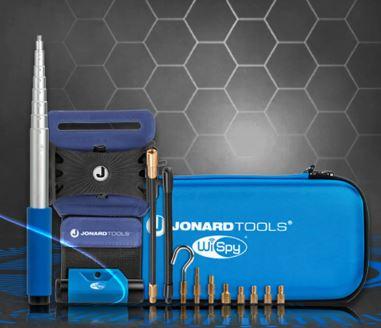
Inspecting concealed spaces can be one of the most challenging parts of cable installation and maintenance. Wires may run behind walls, above ceilings, inside cabinets, or through narrow pathways that technicians cannot easily access. Opening these areas unnecessarily can increase labor time and create additional repair work.
Inspection cameras help technicians view hard to reach locations through a small access point. By providing visual information about concealed spaces, these tools can help professionals locate obstructions, examine cable routes, and plan repairs more efficiently.
For CATV technicians, broadband installers, telecom professionals, and CCTV installers, choosing the right inspection camera can simplify troubleshooting and support better installation decisions. This guide explains the main types of inspection cameras, their applications, and the features to consider before purchasing one.
What Are Inspection Cameras?
Inspection cameras are devices designed to capture images or video from locations that are difficult to see directly. Depending on the design, a camera may use a flexible probe, a small camera head, a handheld display, or a compatible external screen.
Technicians insert or position the camera near the area they want to inspect and view the resulting images on a display. This approach helps them examine confined spaces without immediately removing panels, cutting openings, or dismantling equipment.
Low-voltage professionals can use inspection cameras to examine accessible wall cavities, ceiling spaces, equipment enclosures, and cable pathways. The exact application depends on the camera's size, probe design, lighting, and environmental rating.
Types of Inspection Cameras
Understanding the main types helps you choose a tool that suits your inspection requirements.
1. Borescope Inspection Cameras
Borescope cameras use a narrow probe to access small openings and confined spaces. Depending on the model, the probe may be rigid or flexible, and the camera head may include built-in illumination.
These cameras work well when technicians need to inspect an area without direct line of sight.
Common applications include examining accessible wall cavities, checking spaces behind equipment, and locating obstructions in suitable cable pathways.
2. Flexible Probe Inspection Cameras
Flexible probe cameras allow technicians to guide a camera around bends and into spaces that a rigid tool cannot easily reach.
They can help installers examine the area behind cabinets, above suspended ceilings, and inside accessible equipment enclosures.
When selecting a flexible probe, consider its length, diameter, minimum bend radius, and ability to maintain the desired viewing direction. A longer probe does not automatically provide better results if the route contains tight bends or obstacles.
3. Handheld Inspection Cameras
Handheld inspection cameras provide a portable solution for technicians who perform frequent service calls. Depending on the model, the device may combine a camera probe, display, controls, and image or video recording features.
A handheld design can make it easier to move between work locations and document visible conditions during maintenance.
Before selecting a model, check whether it stores images internally, supports removable storage, or offers any other documentation features you require.
4. Thermal Imaging Cameras
Thermal imaging cameras detect infrared radiation and display temperature differences across surfaces. They help trained users investigate certain overheating problems, thermal patterns, and equipment conditions.
However, thermal cameras do not perform the same function as conventional visual inspection cameras. A thermal camera cannot necessarily show the physical position of a cable, identify a loose object behind a wall, or reveal the condition of a connector inside a dark cavity.
Choose thermal imaging equipment when temperature information is essential. For visual inspection of confined spaces, select a camera designed for that purpose.
How Inspection Cameras Help Low Voltage Technicians
Inspection cameras can support several stages of cable installation and maintenance.
Cable pathway inspection: Before routing a cable, technicians can examine accessible spaces for visible obstructions, sharp edges, or other potential obstacles.
Troubleshooting: When a cable stops moving through a pathway, a suitable inspection camera may help reveal the cause without requiring immediate disassembly.
Security system installation: CCTV and access control installers can use inspection cameras to examine accessible mounting spaces and concealed routes before positioning cables.
Maintenance and repair: Technicians can inspect suitable equipment enclosures and hard to reach spaces to help determine whether further access or repair is necessary.
Installation documentation: Models with image or video recording can help teams document visible conditions and communicate findings to colleagues or customers.
Inspection cameras cannot reveal every hidden problem. Their usefulness depends on the viewing angle, lighting, probe access, and the physical conditions inside the space.
How to Choose the Best Inspection Cameras
The best inspection camera is the one that meets your actual working requirements. Consider the following factors before purchasing.
Camera Head Size and Probe Length
The camera head must fit through the available opening, while the probe must reach the target area.
A narrow camera head may suit small access points, but it may offer different lighting or imaging capabilities than a larger model. Select a probe length that reaches your common inspection locations without making the tool difficult to control.
Image Quality and Resolution
Image quality affects how easily you can distinguish cables, connectors, obstructions, and other visible details.
Higher resolution may reveal finer details, but it does not guarantee better inspection results in every environment. Lighting, camera focus, viewing angle, and image processing also influence clarity.
Choose a camera that provides sufficient detail for the objects you expect to inspect.
Lighting and Viewing Angle
Concealed spaces often have little or no ambient light. Built-in illumination helps the camera capture useful images in these conditions.
Also consider the camera's viewing direction. A forward facing camera works well for looking directly ahead, while a side view option may help when you need to examine surfaces beside the probe.
Choose the configuration that best matches the geometry of the spaces you inspect.
Display and Recording Features
A built-in screen can simplify fieldwork by allowing technicians to view images without connecting another device. Recording features may also help when a team needs to document findings or compare inspection results.
Check the display size, control layout, battery life, and file storage options before making a decision.
Durability and Ease of Use
Field technicians need tools that withstand routine handling and remain practical to carry between job sites.
Consider the probe's flexibility, grip comfort, protective case, and resistance to dust or moisture. Verify the manufacturer's environmental ratings rather than assuming every inspection camera suits wet or hazardous locations.
Best Practices for Using Inspection Cameras
Follow a consistent inspection process to get useful results and protect your equipment.
-
Define the inspection objective. Identify what you need to see before choosing the camera and probe.
-
Inspect the tool. Check the probe, camera head, cable, display, and connectors for visible damage.
-
Prepare the access point. Confirm that the opening is large enough for the camera and that the area is safe to inspect.
-
Adjust illumination. Use the camera's lighting controls, if available, to improve visibility without creating excessive glare.
-
Move the probe slowly. Avoid forcing the camera around sharp bends or against obstructions.
-
Document important findings. Capture images or video when the model supports recording and documentation would help with maintenance or reporting.
-
Clean and store the tool. Follow the manufacturer's instructions to protect the probe and camera head after use.
Never insert a probe into an area that may contain energized conductors or other hazards unless the camera and inspection method are specifically suitable for those conditions. Follow the relevant safety procedures and manufacturer instructions.
Conclusion
Inspection cameras help low voltage professionals examine confined spaces, investigate visible obstructions, and plan installation or maintenance work more efficiently. Borescopes, flexible probe cameras, and handheld inspection cameras offer different advantages depending on the access available and the detail required.
When choosing a camera, evaluate probe dimensions, image quality, lighting, viewing angle, recording features, and durability. Most importantly, match the camera technology to the task: conventional inspection cameras provide visual information, while thermal imaging cameras help identify temperature patterns.
Explore the Jonard Tools Inspection Cameras collection to find equipment suited to low voltage installation, inspection, and maintenance requirements.


 English
 Arabic
 French
 Spanish
 Portuguese
 Deutsch
 Turkish
 Italiano
 Russian
 Romaian
 Portuguese (Brazil)
 Greek
Greek