


Building a Food Truck Website for Under $500: The Essentials
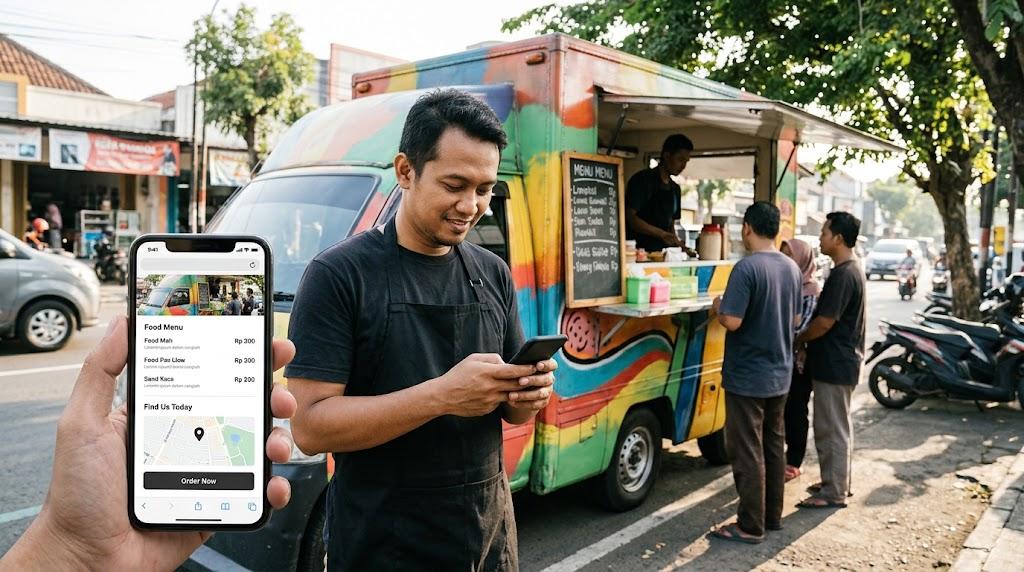
Picture the typical lunch-hour decision. A person stands on a street corner, hungry, thumb scrolling through search results. Your truck's name appears — or it doesn't. When the only match is a social media page abandoned in 2021, the choice gets made elsewhere, and you never hear about it.
Many operators respond by requesting elaborate builds. Ordering engines, blogs, animated intros — features that drain budgets and then sit untouched. That path wastes money and creates maintenance debt.
The smarter approach prioritizes essentials: a small set of well-maintained pages, updated regularly, costing less than five hundred dollars from start to finish.
The Core Question Every Page Answers
A food truck website has one job. Help someone decide to come find you, and show them how. That is the complete brief.
The visitor is outdoors, on a phone, with seconds to spare. Three pieces of information must appear immediately: what you sell, where the truck is parked today, and how to order.
Any element that does not serve those three answers belongs elsewhere or nowhere. Affordable web design means resisting the temptation to add features that feel impressive but answer none of those questions.
Restraint is a feature, not a limitation. A site that does four things well will always outperform one that does twelve things poorly.
Five Elements Worth the Effort
The menu. Write it as plain text on the page — item names, prices, short descriptions, allergen callouts. Skip the PDF entirely. Mobile browsers frequently fail to render them, and search engines cannot read the contents, which means your menu never appears in organic results.
Your location schedule. This section drives more traffic than everything else combined. A text list showing the week's stops will always beat a map widget. Update it on a predictable weekly rhythm. Once visitors notice outdated information, they start doubting every other claim on the page.
Photographs. Use a phone camera and shoot what actually comes off the grill. Real food, real plating, real portions. Stock imagery and stylized studio work feel disconnected from what customers receive. A dozen honest phone photos will persuade more people than one polished campaign shot.
A contact method. Display a phone number, an email address, or a simple form — one is sufficient. Catering inquiries, event invitations, and quick availability checks all arrive through this channel. Keep it findable within seconds.
A link to your ordering system. If Square, Toast, ChowNow, or a similar platform already handles payments, point the site toward it. Do not attempt to build checkout functionality from scratch. The security obligations alone make that a poor use of limited resources.
What to Cut Early
Start by removing the blog from your roadmap. Consistent writing demands hours most operators do not possess, and a "News" section with a single dusty post looks worse than no section at all. Skip it unless writing genuinely interests you.
Custom logo animations are the next casualty. Redirect that spending toward a better camera or a second propane tank. Customers have never selected a lunch spot based on a loading graphic.
Team pages serve full-service restaurants with staff introductions and wine pairings. Truck visitors want to see the food, not read biographical sketches. Your photos already tell the story that matters.
Custom ordering infrastructure belongs to larger operations with dedicated technical staff. Third-party services handle payment routing, compliance, and encryption. Building your own means absorbing every one of those responsibilities permanently.
Finally, skip the complicated content management system. Editing a weekly stop list does not require enterprise software. A basic builder with click-to-edit text blocks accomplishes the task. Fewer settings means fewer chances to accidentally break something during a rush.
Finding Skilled Help at a Fair Rate
Professional assistance has become remarkably accessible. Marketplace platforms connect owners with experienced freelancers who can deliver a clean one-page site for two to four hundred dollars. The condition is preparation: complete content delivered upfront.
Consider what drives project costs upward. When a client arrives without a menu, photographs, or a decided domain name, the contractor must generate everything from scratch. That creative labor costs real money. Write out your full menu, shoot ten phone photos, and register your domain before hiring anyone. Those steps alone will reduce your design bill substantially.
Once materials exist, specify the deliverable clearly. Request a single-page layout on a platform you can operate yourself — Squarespace, Wix, or Carrd all work well. Test of success: can you edit next week's location from your phone, without assistance, in under two minutes?
Working with a cheap website designer is less about the hourly rate and more about scope discipline. A well-defined brief handed to an independent professional produces results indistinguishable from expensive agency work, because the expensive part was never the labor — it was the uncertainty. Choosing a cheap website designer who communicates clearly matters more than choosing the cheapest bid.
Tools for the Owner Who Would Rather Build Alone
If hiring does not appeal, the current generation of platforms makes self-construction realistic for non-technical owners. Affordable web design has improved dramatically, and the gap between DIY and professional results keeps shrinking.
Carrd offers the leanest serious option at approximately nineteen dollars per year. It supports a single scrolling page containing your menu, schedule, and an ordering link. For a one-truck operation, few alternatives compete on value.
Squarespace charges between sixteen and twenty-three dollars monthly. The added cost brings more template variety, cleaner typography, and structural flexibility — useful if a catering page or second location appears later. Wix occupies similar territory with a gentler learning curve and slightly less refined design templates. Either produces a professional result with modest effort.
Google Sites delivers a functional single-page presence at no cost. The trade-off is a Google-branded URL that may feel informal to some visitors. Domain registration separately costs about twelve dollars a year through Namecheap or Cloudflare. Purchase it directly rather than through a hosting bundle.
Allocating Five Hundred Dollars
Concrete figures make budgeting easier. The domain runs roughly twelve dollars annually. Builder subscriptions range from nineteen dollars a year on the low end with Carrd, up to about two hundred seventy-six for a full year of mid-tier Squarespace.
Adding outside help for the initial build typically costs two hundred to three hundred fifty dollars. That figure drops when content is organized before work begins. A cheap website designer receiving a complete brief spends fewer hours on discovery and more on execution, which keeps the invoice proportionate.
Photography can cost nothing if you shoot it yourself. Hiring a local student for an afternoon runs fifty to a hundred dollars and often produces better results than rushed phone work.
Combine all lines and the total lands between two hundred thirty and seven hundred forty, depending on selections. A conservative path — Carrd, self-shot photos, tight scope — stays under three hundred dollars with hosting covered for the full year. Squarespace paired with a contractor approaches six hundred.
The most common budgeting error is spending two thousand dollars on custom development. A Carrd site costing three hundred dollars performs the identical function: display a menu, show a location, route visitors to ordering. The custom version simply introduces more components that can fail.
The Practical Summary
Reframe how you think about the website. It is not a marketing campaign or a brand experience. It is a directory listing with a bit of personality — a place where a hungry person confirms what you cook and where to find you.
Maintain simplicity, keep the schedule current, and cap total expenditure at five hundred dollars. Any remaining funds generate better returns invested in propane, inventory, and equipment repairs than in digital features nobody requests.

 English
 Arabic
 French
 Spanish
 Portuguese
 Deutsch
 Turkish
 Italiano
 Russian
 Romaian
 Portuguese (Brazil)
 Greek
Greek